
The status page aggregator for engineering teams
Pingoru reads the public status pages of 8,000+ cloud and SaaS vendors every five to ten minutes and turns them into one dashboard and one alert stream, filtered to the services your product uses.
Cloud status monitoring for the layer your APM can't see
Every cloud and SaaS vendor publishes a status page where it announces outages and maintenance. A product that runs on a cloud, a CDN, payments, email and identity APIs depends on dozens of those pages, and nobody reads them all.
When a cloud region fails, your APM tells you that something is wrong, not what. Latency triples, errors spike, traces time out, and the first part of the incident goes to debugging your own code before someone checks the vendor's page. An aggregator watches the vendors directly, so "Elevated error rates in us-east-1" reaches your team while the downstream alerts are still firing.
One list, every status page
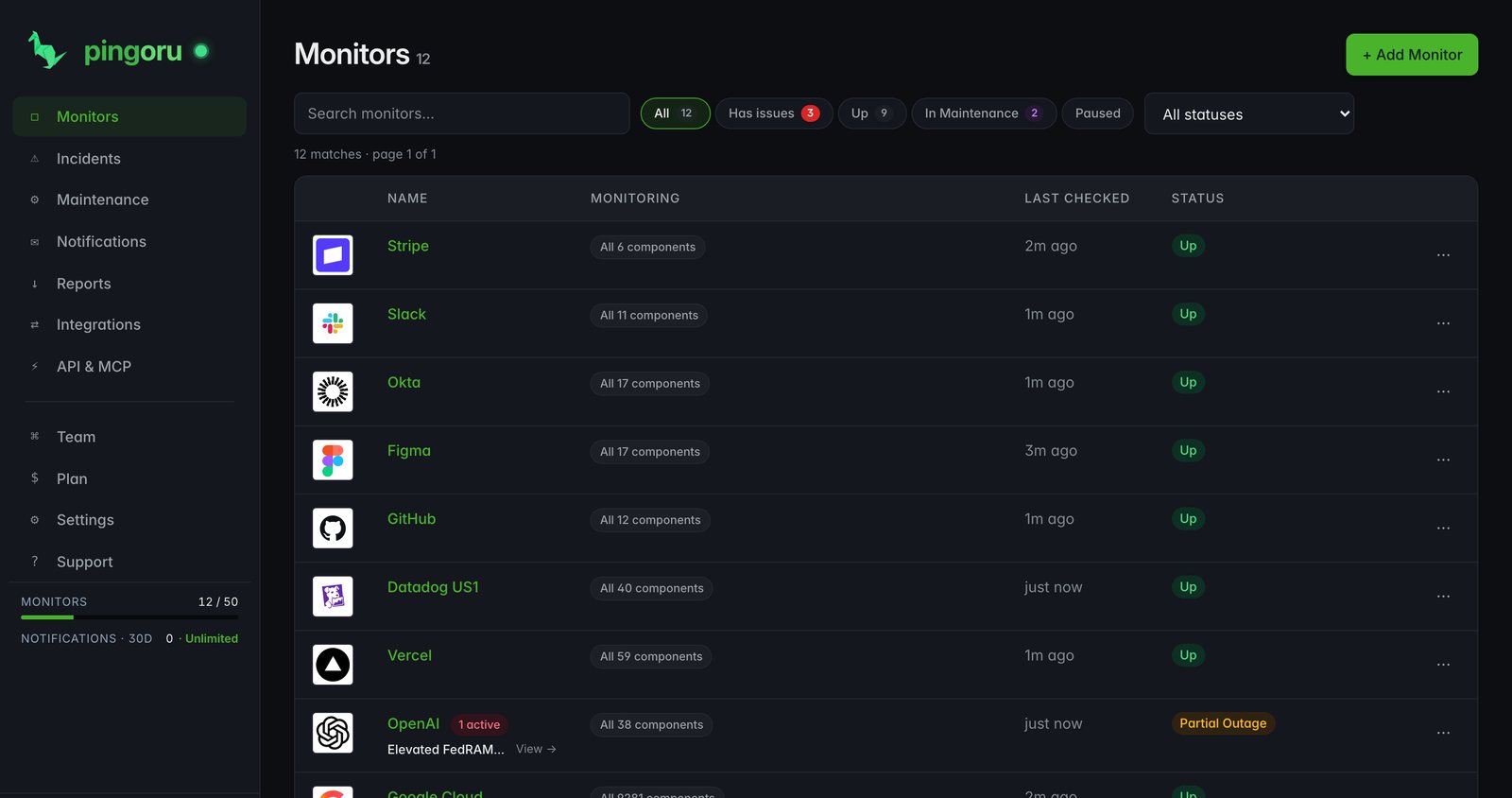
Search for Stripe, Cloudflare or AWS and the vendor is in your list straight away. No API keys and no per-vendor setup. Each row shows live status, the components you picked and when we last checked.
Down to the region and the service
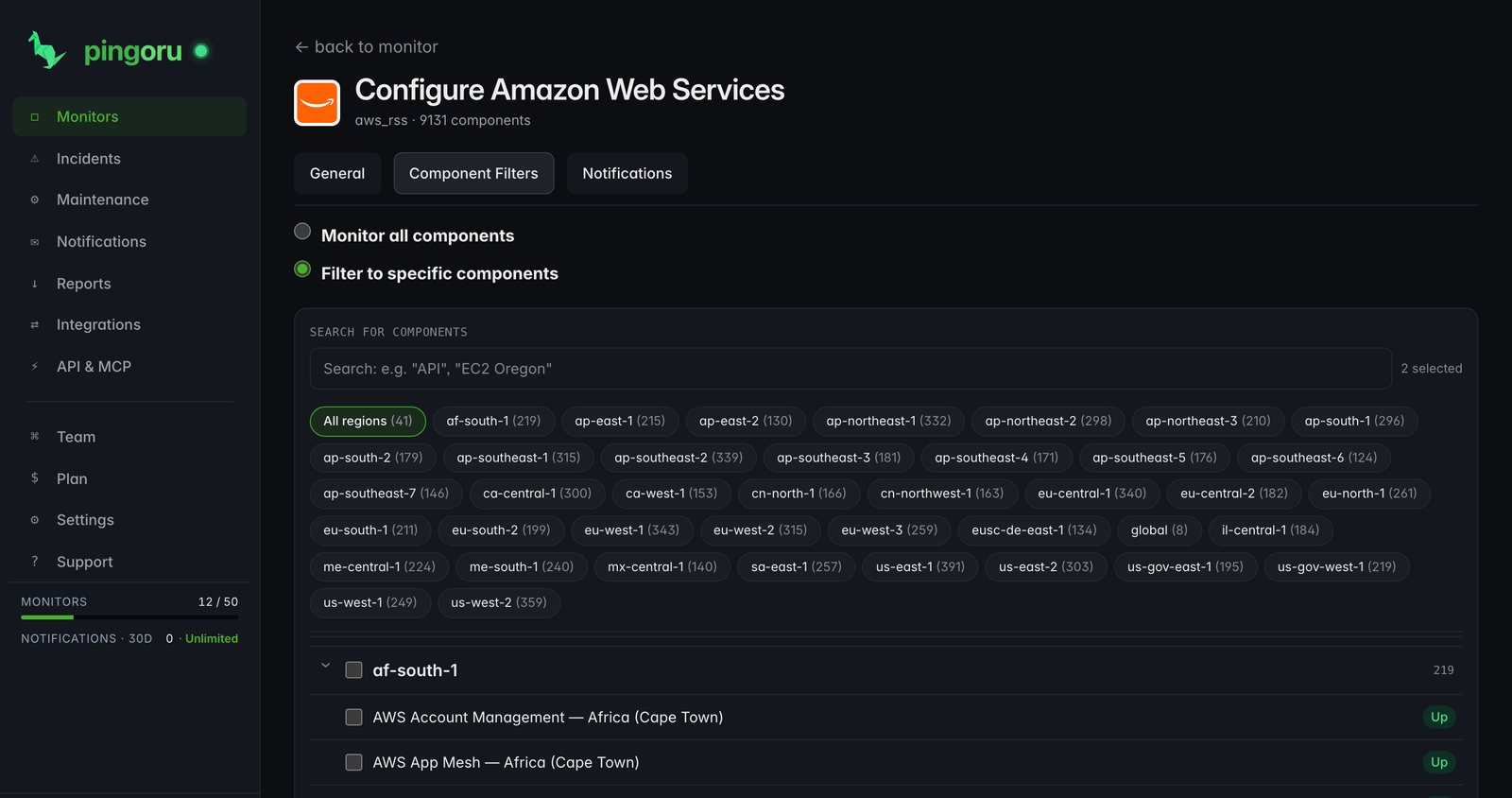
AWS publishes status for dozens of regions and hundreds of services, and your workload touches a few of them. Watch EC2 and RDS in your regions and skip the rest. Azure, Google Cloud and every vendor that splits its page by service work the same way.
One incident feed across every vendor
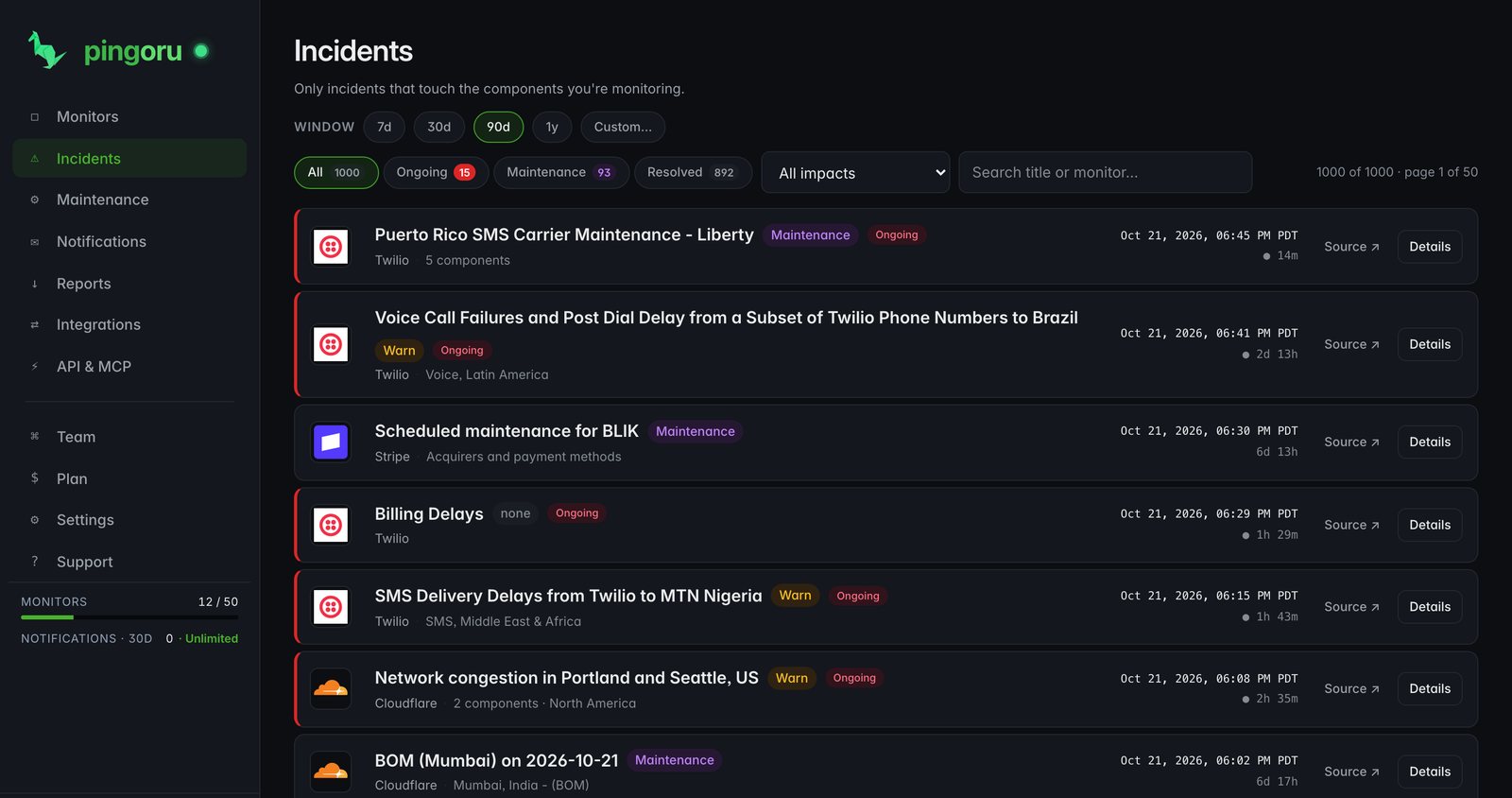
Incidents from every vendor you watch land in one feed, newest first, with severity, duration and the affected service. Scan a week of vendor trouble at a glance, or filter to one vendor for its history.
Alerts where on-call already works
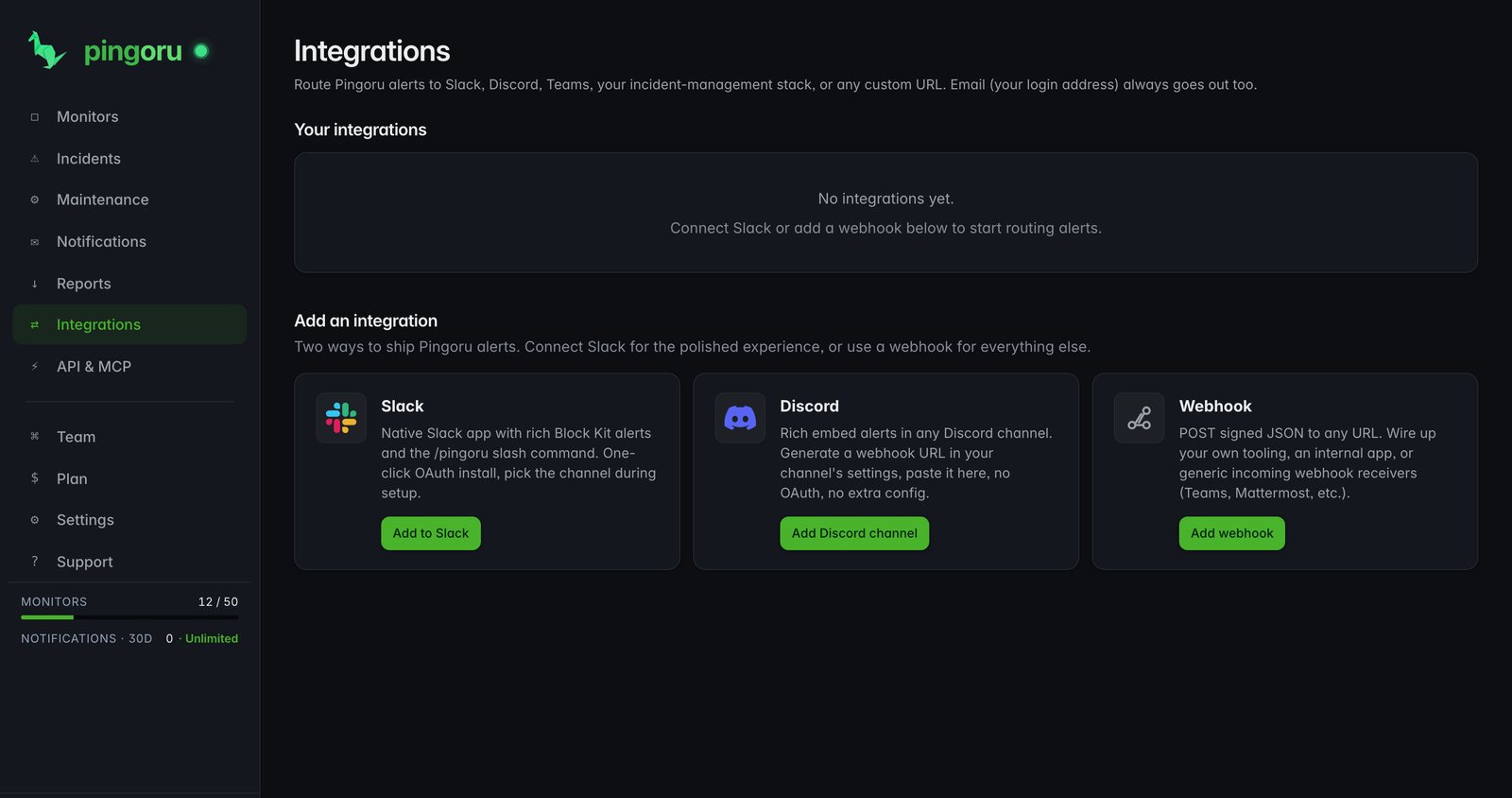
Email, Slack, Discord, Microsoft Teams, PagerDuty or a signed webhook. Set the severities each notification group hears about, so only the vendors that matter page anyone.
How status page monitoring works
Checking one status page is easy. Checking 8,000+ of them reliably is not: vendors rate-limit, change formats, rename components and edit incidents in place. Pingoru does that plumbing.
Every five to ten minutes
Each page is checked every five to ten minutes, and the alert goes out seconds after we see a change.
More than 200 vendor readers
Most vendors publish one of a few common formats. For AWS, Google Cloud, Azure, Microsoft 365, Salesforce and other pages with their own format, we wrote a reader for each.
One severity scale
One vendor says "warning", another "partial outage". We map both onto one scale, so sorting across vendors means something.
Edits kept, not overwritten
Vendors often edit an open incident to add news. Each edit becomes its own timeline entry, so the full story survives for the postmortem.
No ghost incidents
When a vendor drops an incident from its feed without marking it resolved, we close it after a grace period instead of leaving it open forever.
Maintenance kept apart
Scheduled maintenance goes to its own feed and calendar, so "is anything broken right now" stays a one-glance question.
Status aggregation, uptime checks and APM
- Uptime monitoring pings your own endpoints from outside to confirm they respond.
- APM instruments your own code and shows where it slows down.
- Status page aggregation watches the vendors your product depends on, so you know when one of them is the cause before you spend an hour debugging.
They work together. Pingoru tells you us-east-1 is impaired; your APM tells you your p95 tripled there.
The vendors you depend on
Amazon Web Services
Cloudflare
Google Cloud
Microsoft Azure
GitHub
Stripe
OpenAI
Anthropic
Twilio
Slack
Vercel
Datadog US1
Okta
SendGrid
Supabase
Heroku
DigitalOcean
Netlify
Render
Atlassian
Plus every AWS region and service, every Google Cloud and Azure product, and the long tail. Browse all 8,000+.
Free for 3 vendors. Pro is $5 a month for 50.
Pro adds 10 team seats, a year of incident history, unlimited notifications and the MCP key. No card to start.
Questions
What is a status page aggregator?
A tool that watches every vendor's public status page for you and tells you when something breaks. Instead of checking status.aws.amazon.com, status.stripe.com and status.cloudflare.com by hand, or keeping an RSS feed for each, the aggregator does the watching and sends everything to one dashboard and one alert stream.
How does it know when a status page has changed?
Most vendor status pages publish a machine-readable feed next to the human-readable page. Pingoru reads those feeds every five to ten minutes and compares each response with the previous one. For vendors with custom status pages we read the page itself with code written for that vendor.
Why not subscribe to every vendor's RSS feed?
You can, and some teams do. RSS has three gaps: • A reader can't filter to the services you use, so you get every AWS notice even if you only run EC2 in us-east-1. • Feeds drop older items after a few days, and the resolved update often arrives without the opening one. • There is no timeline across vendors. Each feed is its own silo. An aggregator closes all three: per-service filters, full incident history and one feed across every vendor.
How is this different from CloudWatch, Google Cloud Monitoring or Azure Monitor?
Those tools monitor your own workloads inside the cloud. They can't tell you the cloud itself is broken, because they run on it. Pingoru watches the clouds' public status pages: the notice AWS posts when us-east-1 has a regional problem.
Which status pages are supported?
8,000+ and counting: • AWS, Google Cloud and Azure, every region and product, each with its own reader. • Large vendors with their own formats: Microsoft 365, Salesforce, Apple, Heroku and many more. • Thousands of standard SaaS status pages: Stripe, OpenAI, Cloudflare, Slack, Zoom, Shopify and the long tail. • Kubernetes services such as EKS, GKE and AKS appear as their own components, so you can watch just those.
Can it read a status page that sits behind a login?
No. We read status pages anonymously. Where a vendor keeps its detailed status behind a customer login, we read the public page, which gives the overall status but not per-service detail.
Can I add a status page you don't track yet?
Yes. Any status page we can reach, we can read. Send the URL with the "request a service" form in the dashboard and we review it for the catalog.
How fast does an alert reach me?
Usually within ten minutes of the vendor posting. Each page is checked every five to ten minutes, and the alert goes out seconds after we see the change. Later edits to the incident are added to its timeline.