Everything Pingoru does
Cross-provider status aggregation, incident timeline, scheduled maintenance calendar, and routed notifications — 6,116+ providers in one dashboard.
5 monitors free forever · No credit card
6,116+ providers, auto-updated
Every AWS region. Every Azure region. Every GCP product. Microsoft 365 per-service. Adobe's five clouds. Plus thousands of SaaS vendors — Stripe, OpenAI, GitHub, Cloudflare, Zoom, HubSpot, Okta, Twilio, Sendgrid, the works. Add one in two clicks; no setup.
- The big clouds covered properly — AWS, Google Cloud, Azure, Microsoft 365, Adobe, Salesforce, Google Workspace, GitHub, Apple, Firebase, PagerDuty, Zendesk, Heroku, GitLab, Meta. Each one read with code we wrote specifically for it.
- Thousands of SaaS vendors — Stripe, OpenAI, Cloudflare, Slack, Zoom, Datadog, Shopify, and the long tail. If they have a public status page, we read it.
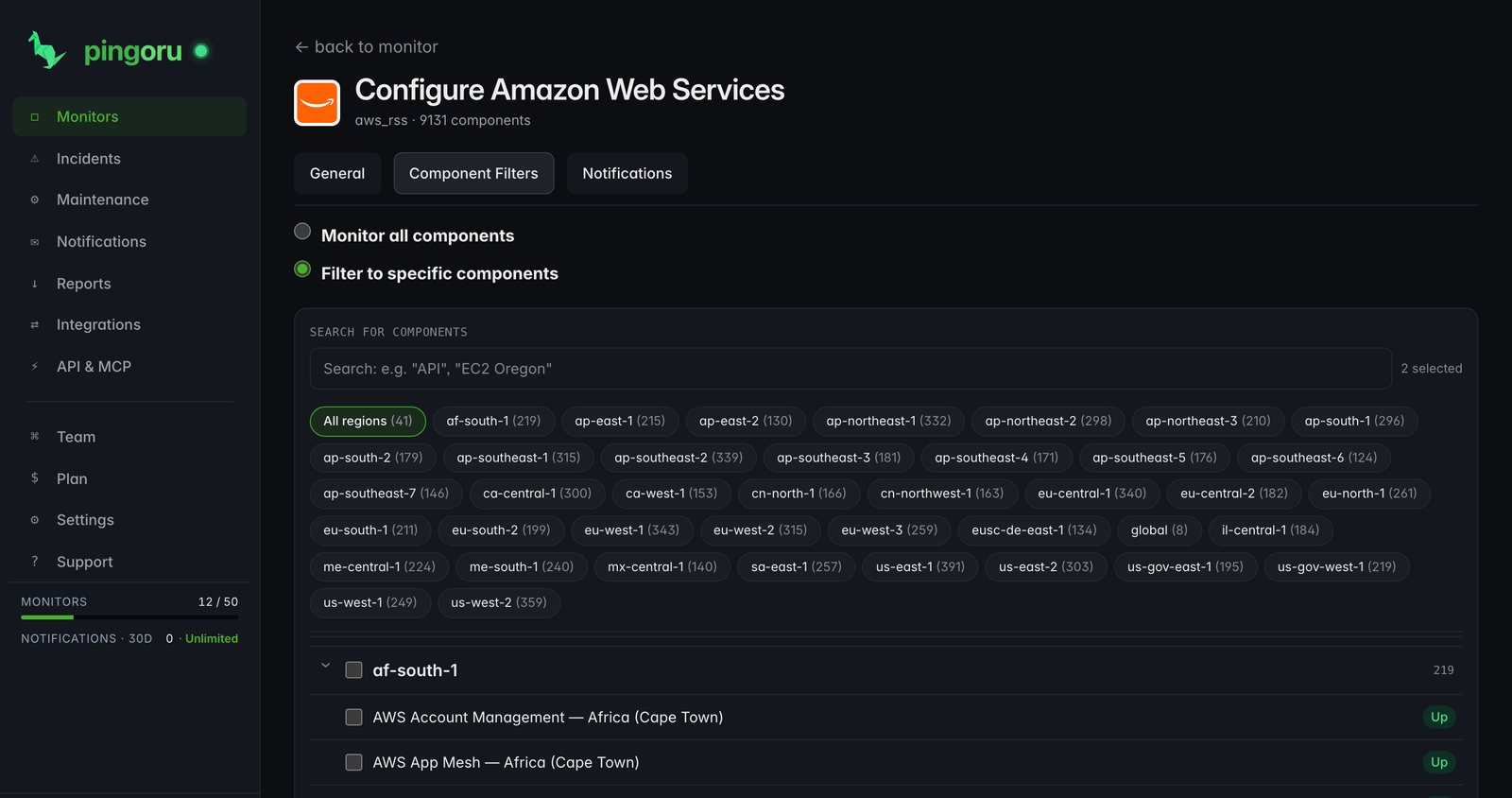
- Down to the service — monitor just "EC2 us-east-1" or "Stripe Checkout", not the whole provider.
- New providers added automatically as they appear on the public web — no gate-keeping, no waitlist.
One dashboard for every provider you depend on
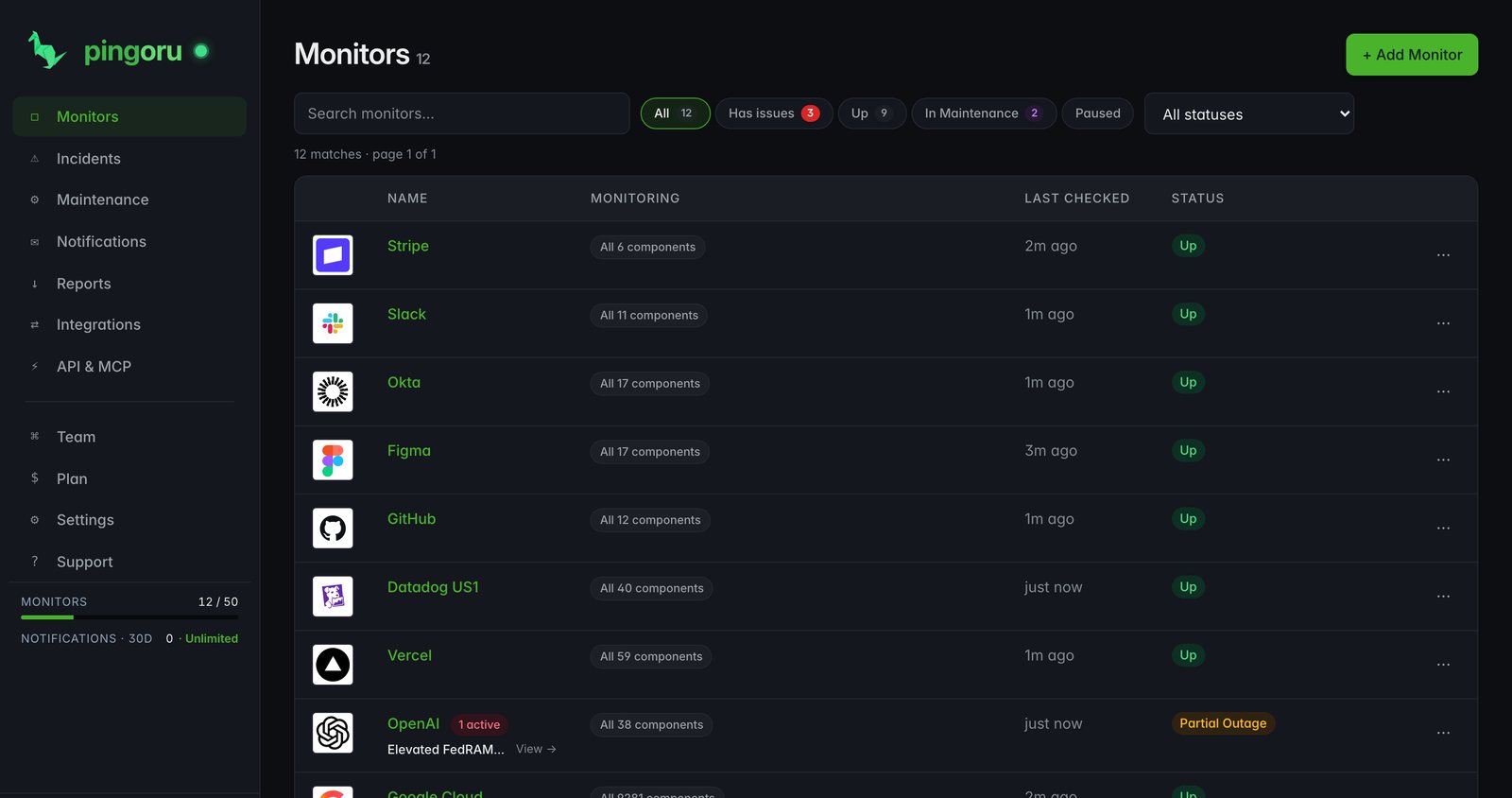
Add the providers your app depends on. Filter each one to the specific service you care about. See live status across all of them in one grid — and filter by "has issues" when you only want to see the things that are broken.
- Search to add — two clicks from zero to monitoring
- Per-monitor service filters (e.g. "EC2 · us-east-1", "Stripe · Checkout · API")
- Common severity scale — we translate each vendor's terms into the same set
- Sort by status, name, last change; filter by "has issues"
- Per-monitor pause (mute without losing your setup)
Every incident, every vendor, one chronological feed
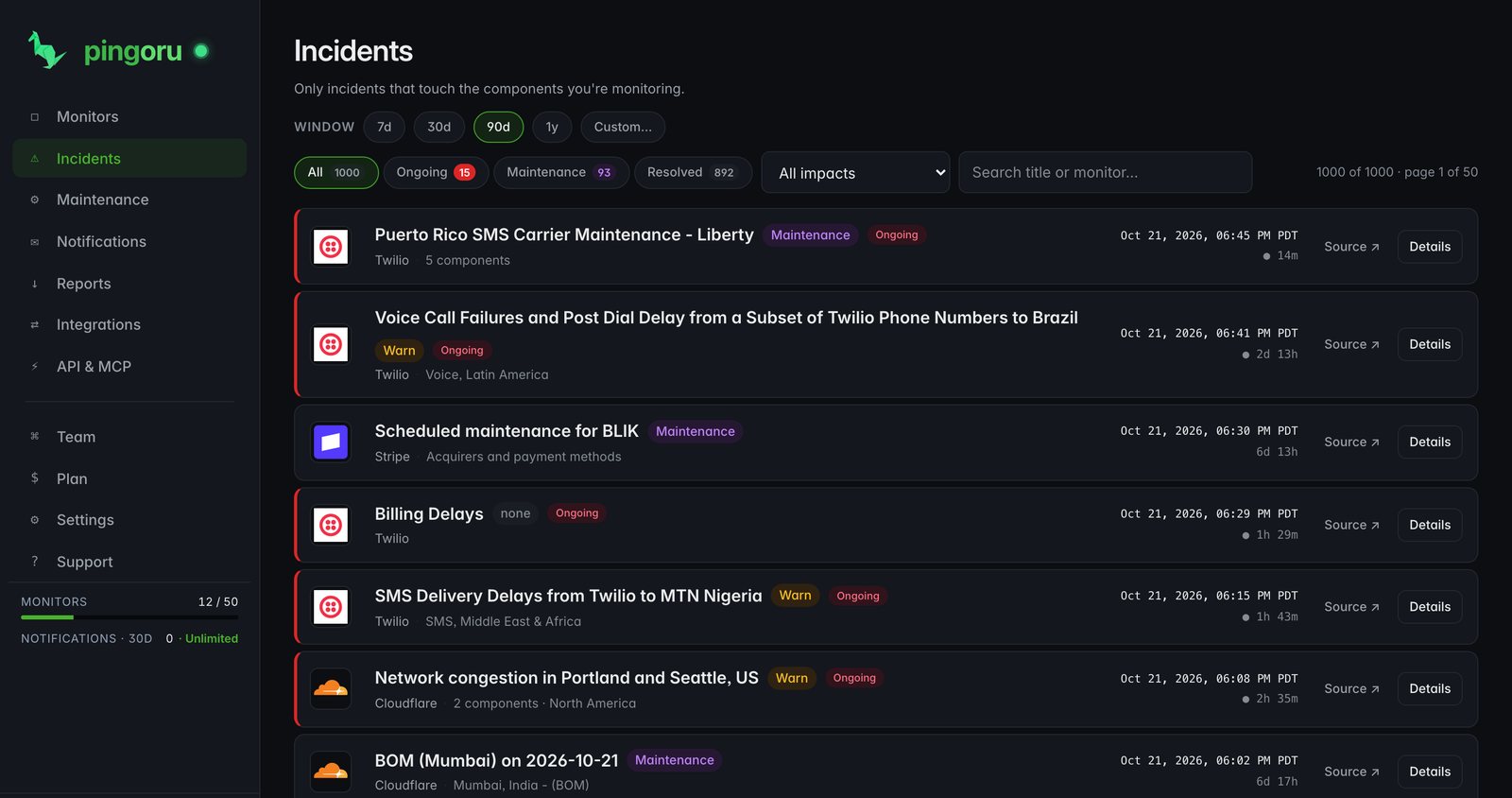
The incident list spans every monitor in your account. Active incidents at the top, recent ones below, with full history on its own tab. Every row links into a drill-down showing the full update thread from the vendor.
- 4 views: Active · Recent · History · Per-incident timeline
- Severity-normalised: Minor · Degraded · Major · Maintenance, across all vendors
- Component-linked: each incident attributes to specific affected components
- Duration tracked: time-to-resolution visible at a glance
The full update thread, with timestamps
Click any incident and you get the vendor's full narrative — investigating, identified, monitoring, resolved — with the timestamps pingoru.io recorded when each update was posted. No clicking through to six different status pages during an outage.
- Vendor's original prose, preserved exactly
- Status transitions rendered inline with the timeline
- Affected components linked to their component page
- Total duration + resolved timestamp up top
Plan deploys around vendor downtime
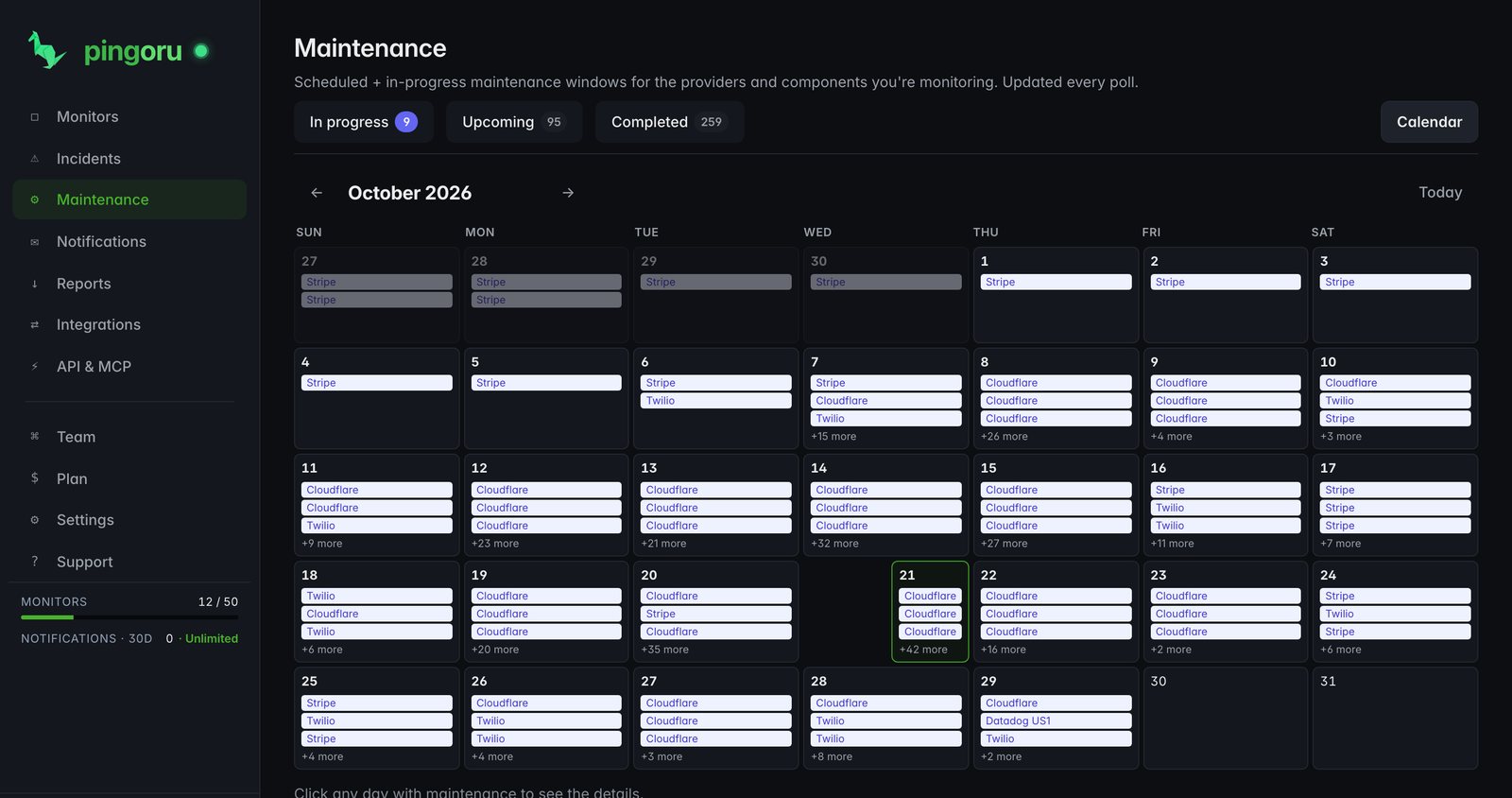
Every upcoming and in-progress maintenance window across the providers you watch, in one place. Switch between in-progress, upcoming, completed, and a monthly calendar — same data, four views so you can scan it the way your brain wants to.
- Four views: In progress · Upcoming · Completed · Calendar
- Down to the region or service (not just "Azure is doing maintenance")
- Maintenance has its own event type in alerts — don't wake on-call
- "Scheduled" vs "In progress" badge so you can tell planned from live
Monthly grid, vendor-coloured
Same maintenance dataset, different layout. Useful when you're scheduling a release and want to glance at the next 30 days to find a window when none of your vendors are touching prod.
One unit for the whole alerting stack — recipients, integrations, filters, scope
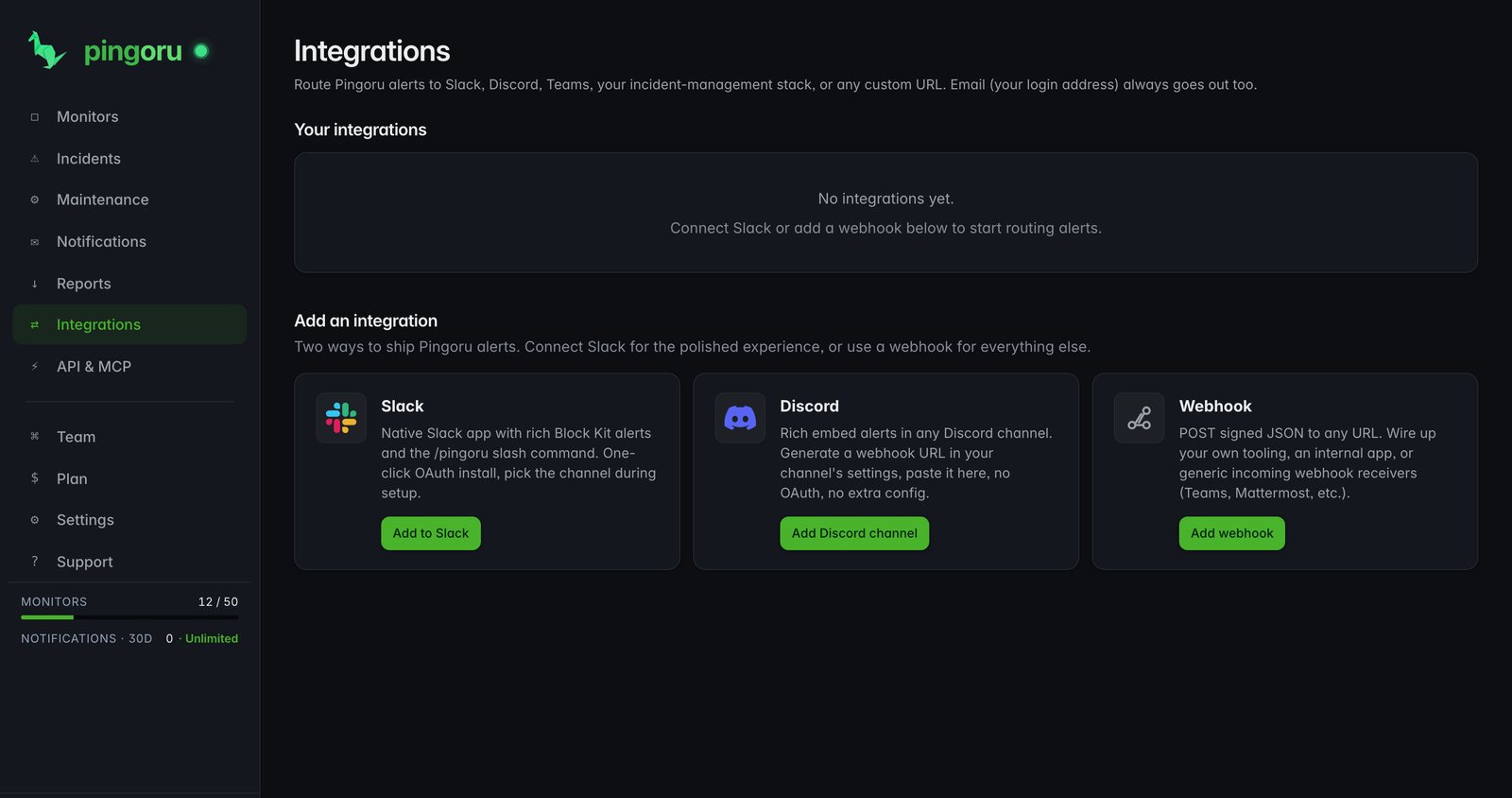
Notification groups bundle who (multiple email recipients), where else (any number of webhook integrations — Slack, Discord, Teams, PagerDuty, custom URLs), what (severity + event filters), and which monitors (all on the account, or a hand-picked subset). Send major-only to your on-call's PagerDuty, send the everything-else feed to a team Slack, send maintenance to a shared inbox — all from the same model.
- Default group set up the moment you sign up — your email pre-verified, ready to receive
- Multiple recipients per group; each verifies independently and has their own unsubscribe link
- Mix email + webhook integrations in any combination — email-only, webhook-only, or both
- Per-group severity filters (Major / Minor / Maintenance) and event filters (Opened / Updated / Resolved)
- Webhooks cryptographically signed (
X-Pingoru-Signature-256); deliveries deduped on (channel, event)
What arrives at your endpoint
JSON body with the incident + update + provider blocks, plus the signature header. Same shape on every plan, same shape for every event type. No hidden gotchas.
https://ops.acme.io/pingoru-hookX-Pingoru-Signature-256: sha256=8b2c…de91
Content-Type: application/json
{
"event": "incident.opened",
"timestamp": "2026-04-24T14:06:22Z",
"provider": {
"slug": "github",
"name": "GitHub",
"url": "https://pingoru.io/providers/github"
},
"monitor": {
"id": "m_01HXYZ",
"name": "GitHub Actions",
"component_filter": ["Actions", "API Requests"]
},
"incident": {
"id": "i_01HABC",
"title": "Increased error rates on Actions",
"impact": "minor",
"started_at": "2026-04-24T14:05:00Z",
"affected_components": ["Actions", "API Requests"],
"url": "https://www.githubstatus.com/incidents/xxx"
}
}CSV + JSON incident reports
Pull your incident history out for internal review, vendor-SLA validation, quarterly reliability reports, or compliance. Filter by date range and monitor set, preview the result, download as CSV or JSON.
- Presets: Last 7d / Last 30d / Last 90d / YTD / Custom
- One row per incident — title, impact, start, resolved, duration, components, full update thread
- CSV for spreadsheets; JSON for programmatic consumers
- Free: 30-day rolling window · Premium: full 1-year window
A landing page for every provider
Every provider in the catalogue has its own public page on pingoru.io with live status, current incidents, recent history, and scheduled maintenance. Three URL shapes for the same page, indexed by Google:
/providers/<slug>— the canonical URL/is-<slug>-down— matches what people actually search/status/<slug>— matches browser autocomplete- Full OpenGraph + JSON-LD so social unfurls cleanly
- No signup required to view any of them
Free covers real use; Premium is for teams
A side-by-side breakdown. Every feature above is on both plans unless explicitly limited here. No gotchas where a "premium feature" is just the free one with a 7-day trial.
| Feature | Free | Premium |
|---|---|---|
Monitors Each is a provider + optional component filter | 5 | 50 |
Team members Users on the same account | 1 | 10 |
Incident history retention | 30 days | 1 year |
Notifications In any 7-day window | 25 | Unlimited |
Notification groups Recipients + integrations + filters + scope, all in one unit | ✓ | ✓ |
Multiple recipients per group Each verified independently, each with their own unsubscribe link | ✓ | ✓ |
Email alerts | ✓ | ✓ |
Webhook integrations Slack, Discord, Teams via incoming-webhook URL — attach to any group | ✓ | ✓ |
PagerDuty integration Purpose-built integration (as well as webhook) | — | ✓ |
Filter alerts by component e.g. "EC2 in us-east-1 only" | ✓ | ✓ |
Per-group event + severity filters Opened / Updated / Resolved · Major / Minor / Maintenance | ✓ | ✓ |
Maintenance calendar | ✓ | ✓ |
CSV + JSON incident exports | Last 30 days | Full 1 year |
Priority email support | — | ✓ |
Frequently asked
Which features are free?
5 monitors, 1 seat, email alerts, signed webhooks (including Slack, Discord, and Teams via their incoming-webhook URLs), filter alerts to specific services, the maintenance calendar, CSV + JSON exports of the last 30 days, and access to every provider's public page on pingoru.io. Premium ($15/mo) raises the monitor count to 50, adds 10 team seats, extends history to 1 year, and unlocks PagerDuty + SMS (coming soon) as built-in integrations.
Do I need to install anything — an agent, SDK, or code change?
No. Pingoru runs entirely in your browser. There's nothing to deploy and no code change to ship. Alerts are sent from our infrastructure to your email or webhook; we have zero access to your stack beyond what's in vendor status pages (which are public).
How up-to-date is the data?
We check each provider's status page every 5 minutes. For most SaaS vendors we read their public feed directly and translate it into your dashboard view. We've built our own readers for the bigger players that publish in their own format: AWS, Google Cloud, Azure, Microsoft 365, Adobe's five clouds, Salesforce, Google Workspace, Apple, Firebase, PagerDuty, Zendesk, Heroku, GitLab, and Meta. New providers get added automatically as they appear on the public web.
What exactly is a "monitor"?
A monitor is one provider + an optional service filter + your alert preferences. You can point two monitors at the same provider with different filters — e.g. one set to EC2 us-east-1 that alerts on anything, and one set to EC2 eu-west-1 that only alerts on major outages.
How are webhooks signed?
Every webhook ships with an `X-Pingoru-Signature-256` header — an HMAC-SHA256 of the JSON body signed with a per-webhook secret we generate when you set it up. Verify it on your end to reject anyone forging requests. The exact header format and a sample verifier in your language of choice are shown in the app when you create a webhook.
Can I use Pingoru for status monitoring of my own product?
No — Pingoru is for watching the providers you depend on (AWS, Stripe, GitHub, OpenAI, etc.), not for publishing your own status page. If publishing your own status page is what you need, there are plenty of tools for that and we're not one of them. Plenty of customers use both: a publish-your-own tool for their own page, and Pingoru to watch the ~30 SaaS tools that page depends on.
Why not just subscribe to each vendor's own email list?
You can — but you'll get one email thread per vendor, different formats, different severity conventions, and no filtering. Pingoru gives you one chronological feed across every provider, sent to whichever destination you want (email, Slack, Discord, Teams, PagerDuty), with filters so minor updates on a vendor you barely use don't drown out the one service that's actually broken.
What data is exported?
Incident exports include every recorded incident in your monitor set over the chosen date range: provider, monitor, title, impact, status, start time, resolved time, duration, affected components, and every update posted on the incident. CSV is one row per incident (updates as a JSON-encoded column); JSON preserves the nested update thread. Free plan covers the last 30 days; Premium covers the full year.
Is there an API?
A public REST API is planned for Premium after the self-serve checkout lands. For now, the signed-webhook + CSV/JSON export pair covers most "get the data out" use cases. If you have a specific automation need, email [email protected] and we'll see what makes sense.
One dashboard for every provider you depend on.
Free for 5 monitors. $15/mo for 50 + team features. No credit card.
Start monitoring free →